Auto Repair Shop In Plainfield, IL

Choosing A4 Adhesive Label Paper can affect print quality, packing speed, and how reliably labels stay attached. The right option depends on your printer, label size, surface, and daily workload. A sheet that looks suitable online may behave differently beside a warm office printer or on a chilled parcel.
Start by checking compatibility. Inkjet and laser printers use different printing methods, so confirm the paper is designed for your device. Then consider adhesive strength and the surface you plan to label. A paper label may work well on a clean cardboard box but peel from textured plastic. Think about the finish, too: matte can make small text easier to read, while a glossy surface may suit brighter product graphics. Always check the supplier’s specifications rather than relying on appearance alone.
Small details matter. This guide explains how to compare sheet size, label layout, face material, and adhesive without overlooking practical use. It also covers print alignment, storage, and simple testing. Print one sample sheet first. Check whether the text sits inside each label, the ink dries cleanly, and corners remain flat after application. That step takes a few minutes, but it can prevent wasted sheets and relabeling later. No one choice fits every business, and specifications do not replace a real-world test. Consider this a useful starting point, not a perfect formula.
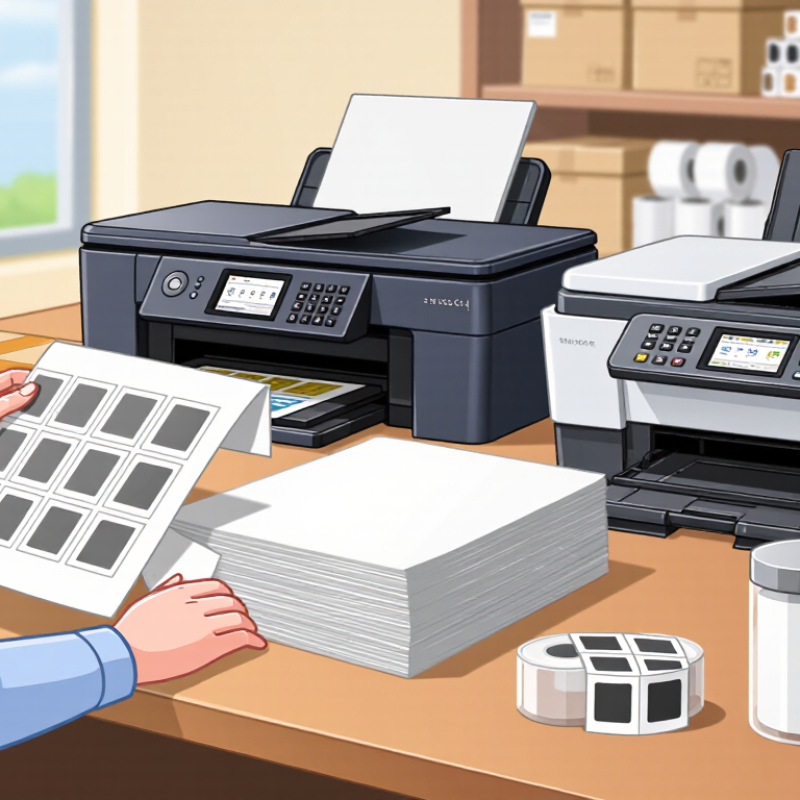
Before selecting A4 adhesive label paper, map where each label will go. A stockroom shelf label needs crisp text and a dependable bond on cardboard or plastic. A parcel label must stay readable through sorting, handling, and storage. The Pitney Bowes 2023 Parcel Shipping Index reports 21.7 billion U.S. parcels in 2022, underscoring the scale of shipping workflows. For frequent dispatches, test whether your printer produces sharp barcodes and whether labels remain attached after rubbing and light moisture exposure. Small trials matter.
List the information each label must carry: product name, batch or location code, barcode, or handling note. Then check the label size, print method, and surface. Inkjet and laser papers are not interchangeable; match the sheet to the printer’s specifications. Measure a real package, not just the available space on a screen. A label that looks neat on a desk may wrinkle across a curved container. For cold storage, dusty cartons, or rough handling, test adhesion under those conditions. I would not assume one paper suits every task. That assumption is easy to make—and expensive to revisit. Keep samples for a week and inspect print clarity, edges, and residue before ordering in volume.
| Business Labeling Need | Typical Use | Label Paper and Adhesive to Consider | A4 Sheet Layout Guidance | What to Check Before Buying |
|---|---|---|---|---|
| Product identification | Product names, item numbers, barcodes, and shelf information on boxes or packaging. | Paper label stock with a permanent adhesive for clean, dry surfaces. | Choose a label size that leaves enough room for readable text and any required barcode. A4 sheets measure 210 × 297 mm. | Confirm that the label dimensions match your packaging and that the barcode prints sharply at the intended size. |
| Shipping and order fulfilment | Address labels, parcel references, and internal dispatch details. | Printer-compatible paper labels with permanent adhesive; select stock intended for the parcel surfaces you use. | Use larger label areas when addresses or delivery information need to be easy to read. Check the sheet layout against your document template. | Verify printer compatibility, feed direction, and whether the adhesive is suitable for corrugated cardboard or other parcel materials. |
| Temporary identification | Short-term stock rotation, event materials, samples, or items that need relabeling. | Removable-adhesive labels may be suitable where clean removal is required. | Select a size that fits the item while allowing room to lift an edge if removal is expected. | Test removal on the actual surface. Results can vary with surface finish, temperature, and time in place. |
| Folders and office organization | File names, storage boxes, equipment records, and document indexing. | Paper labels with permanent adhesive for long-term use, or removable adhesive for frequently updated items. | Small labels can fit several categories on one A4 sheet; use a consistent grid to simplify printing and alignment. | Check that the label size suits the available space and that printed text remains legible at the chosen font size. |
| Retail or promotional information | Price information, product details, and short-run promotional stickers. | Choose paper finish and adhesive based on the product surface and expected handling. | Allow enough space for the information customers need to read, and keep important text away from label edges. | Consider exposure to handling, moisture, or abrasion. Standard paper labels may not be suitable for demanding conditions. |
| Cold or damp environments | Labels applied to refrigerated goods, chilled storage containers, or items exposed to condensation. | Use stock and adhesive specifically specified for the intended temperature and moisture conditions; ordinary paper labels may not perform reliably. | Choose dimensions that remain readable without covering important product information. | Check the supplier’s application and service temperature specifications, and test labels under real storage conditions. |
| Printer and workflow compatibility | Any business printing labels in-house on A4 sheets. | Select labels explicitly designed for the printer type: inkjet or laser. Some sheets are not suitable for both. | Match the template to the exact number of labels per sheet, label dimensions, gaps, and margins. | Follow printer loading instructions, use the correct media setting, and avoid feeding damaged or partly used sheets unless the supplier permits it. |
